
The selected activity determines the details displayed in the bottom tab bar tabs and the Gantt view. Select a new activity to continue analysing the critical path.
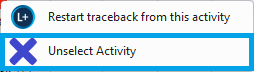
Tip: Right click to ‘Unselect Activity’ is useful when working with large files and you can’t find the active activity for traceback analysis. Navigation: In the Gantt view, left click on the activity or right click and select ‘Unselect Activity’.
Left click new activity for analysis.