
The following outlines additional traceback options.
- Navigation: Right click in the Gantt view
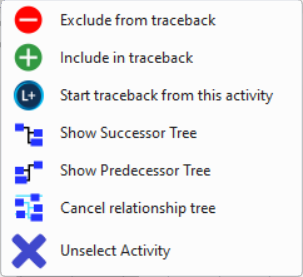
- Exclude from/Include in traceback:
Excludes an activity from traceback. Excluded activities appear are highlighted as dark grey. Use the Include in traceback option to cancel the exclusion from the traceback.

- Start Traceback from this activity: Select to start a traceback. For detailed steps see section Delay Analysis > Running a Traceback.
- Show Successor Tree: A successor tree is displayed showing all the tasks that depend on the completion of the selected activity.
- Show Predecessor Tree: A predecessor tree is displayed showing all the tasks that must be completed before the selected activity can begin.
- Cancel relationship tree: Cancels the display of the Successor or Predecessor Tree.
- Unselect Activity: Unselect activities while working in the Gantt view.